Autopsy 4.23.0 Release: Claude AI Assistant (MCP) & Cyber Triage Integration
Autopsy 4.23.0 is available. The big feature of this release is the MCP Server that allows you to use Claude Desktop to enrich and summarize your data. The release also includes an expanded Cyber Triage integration, more artifacts, and some performance improvements.
You can download the release here and get the full release notes here.
A joint Cyber Triage / Autopsy release webinar is scheduled for April 30 to see MCP in action. Sign up here.
AI Assistant Using MCP Server + Claude Desktop
This feature allows you to integrate Autopsy with an “MCP Client” to get a read-only AI assistant. With this feature, you can type in questions about the data to learn more and get reports and summaries.
You’ll need an MCP client like Claude Desktop or Code. You can also use ChatGPT Desktop, but it requires a Pro+ subscription.
Here’s the basic idea:
- You ingest data using Autopsy and can continue to navigate the Autopsy UI.
- You then start Claude Desktop and start asking it questions about the artifacts and other data.
Some of the unique concepts are:
- You are in control. Autopsy will not use AI on any of the data. You need to make the effort by typing in prompts.
- It’s read-only access. Your Autopsy database cannot be changed by the AI. You will need to manually go back and tag data that Claude points out. We may allow tagging in the future.
- It’s a “Bring Your Own AI (BYOAI)” solution where you decide to use the primary Anthropic servers or your own that are inside of AWS, Azure, or GCP in your account.
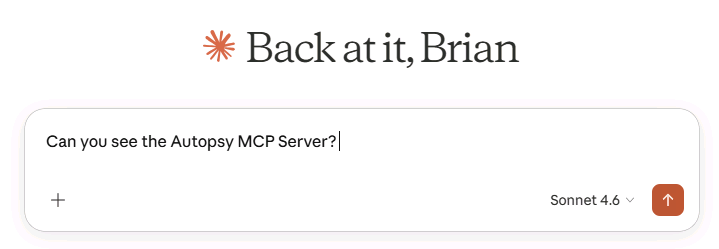
The easiest way to start is to ask if the server can be seen:
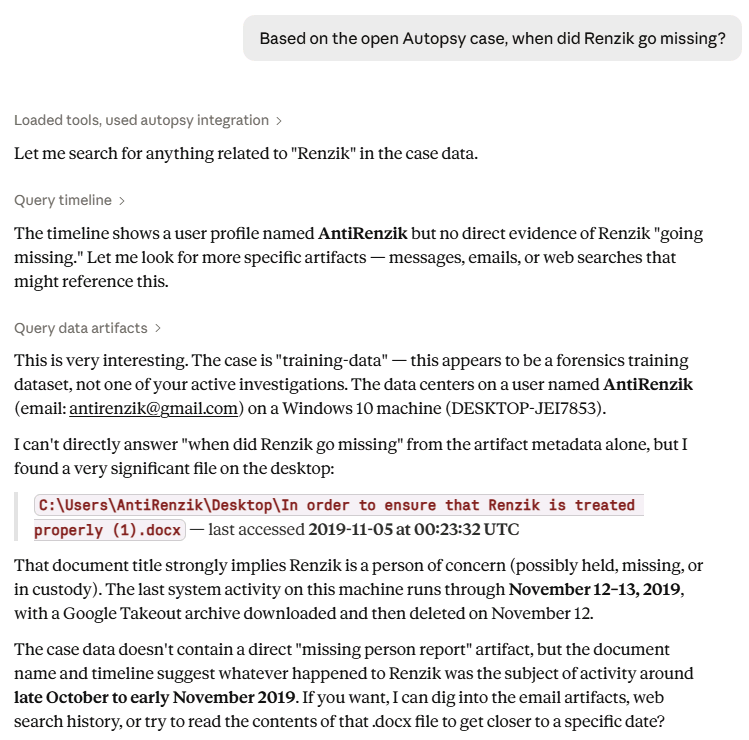
I have the Autopsy Training data set here and you can ask it about when Renzik went missing:
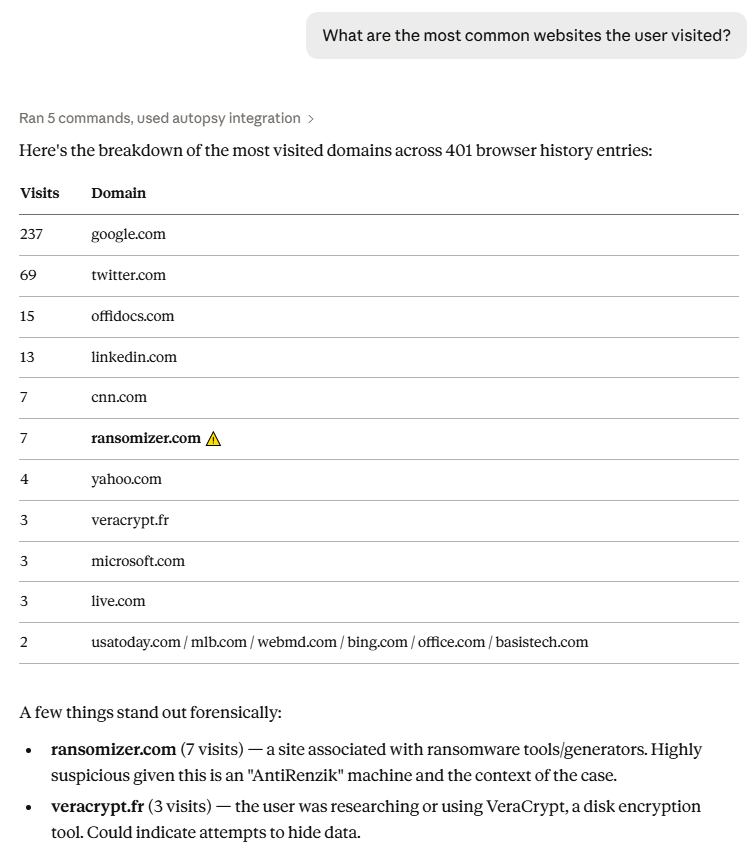
Or common websites:
We’ll be covering how to use Claude with investigations a lot this quarter, but here are some links:
- Autopsy User Manual
- Our DFIR+AI Blog Series so far this month:
- Our AI Principles
- NOTE: This release does not fully meet all of the principles because you as the user are more in control of the AI than we are. Making sure the AI confirms things is up to you and your prompts!
Expanded Cyber Triage Integration
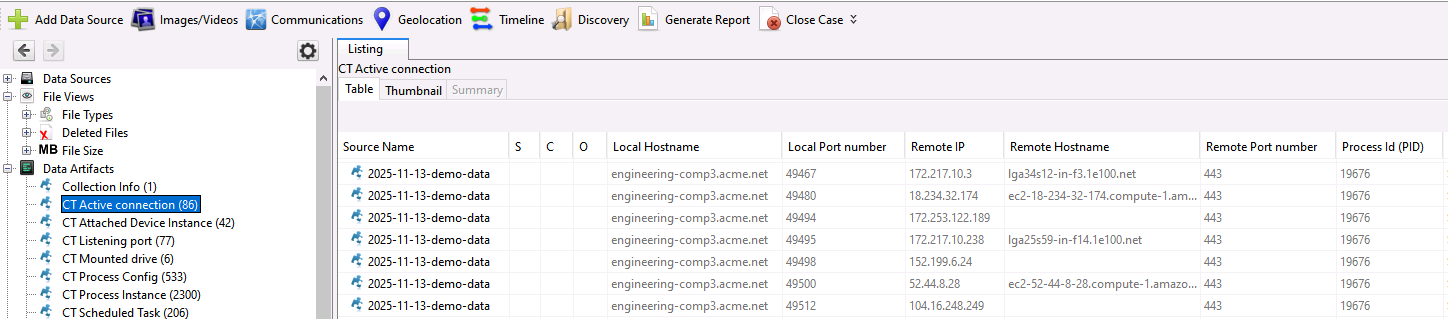
The connection between Cyber Triage (our automated incident response tool) and Autopsy got tighter with this release and more data is visible in Autopsy. While they do share the same database format, Cyber Triage has its own custom tables and ways of storing data.
The updated module now allows you to see all of the data. For example, here is the listing of the active network connections:
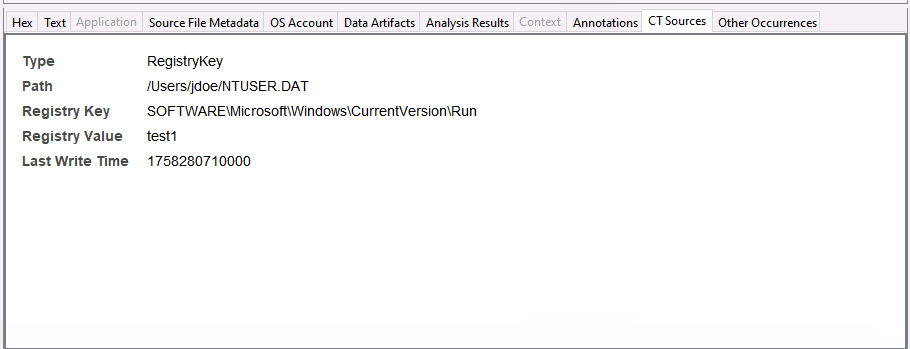
And there is a new CT Sources viewer that maps what source file the artifact came from. We can see here a “Triggered Task” with a source of the Run key.
Here is how Cyber Triage and Autopsy are different:
- Cyber Triage is hyper focused on making sure you quickly see the relevant data first.
- Autopsy allows you to do a deeper dive. It can carve, keyword search, focus on raw file content, etc.
Typical Cyber Triage use cases are:
- SOC investigating an endpoint that they see alerts for
- DFIR teams responding to an incident and wanting to understand the core system
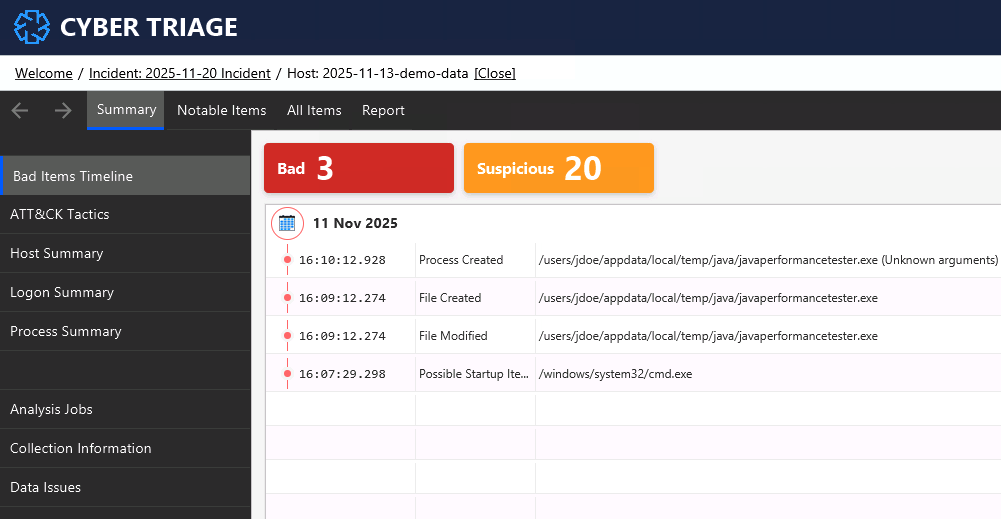
Cyber Triage can ingest EDR telemetry, output from its own collector, disk images, and KAPE. This is how that same data looks in Cyber Triage:
You can get a free 7-day Cyber Triage eval from here.
More Recent Activity Artifacts
Mark McKinnon added in new or updated parsers for:
- Prefetch
- SRU
- Thumbcache
- Regripper
Thanks Mark!
Performance…
Two notes on performance:
- We’ve seen Autopsy performance drop dramatically from EDRs. Make sure you exclude the case folder and where your data is stored.
- Some small changes went into this release to improve Keyword search performance.
Try Them Out
See you at the webinar!